

For the better part of a decade, WordPress development has been caught in a tug-of-war between the speed of visual building and the rigid stability of clean code. For agencies and growing businesses, this tension usually manifests as “technical debt.”
You build a site quickly using a page builder, but as the site grows to fifty or a hundred pages, making global changes becomes a manual, error-prone nightmare. Design consistency slips, performance lags under the weight of redundant widgets, and the workflow that once felt fast becomes a bottleneck.
The release of Elementor Editor 4.0, specifically the introduction of Atomic Elements, marks a fundamental shift in how WordPress sites are architected. It is a move away from monolithic, “black-box” widgets toward a modular, systems-based approach.
At Teracore, having managed over a hundred enterprise-level WordPress environments, we recognize this as more than just a feature update. It is a necessary evolution for professionals who need to maintain design integrity across complex, scalable digital properties without sacrificing the agility that made Elementor popular in the first place.

What Are Atomic Elements?
To understand Atomic Elements, it helps to look at the “Atomic Design” methodology. In traditional web development, you don’t just build a “Contact Section”; you build atoms (buttons, inputs, labels), combine them into molecules (a search bar), and organize those into organisms (a header).
Until now, Elementor largely operated at the “organism” level. If you wanted a form, you dragged in a “Form Widget.” That widget was a single, sealed unit. You could tweak the settings provided by Elementor, but you couldn’t easily reach inside and rearrange the underlying DNA of that form without custom CSS or complex workarounds.
Atomic Elements break these containers open. Instead of a single, rigid widget, an element is now composed of smaller, independent building blocks. Now you aren’t placing a “Form”; you are placing individual input atoms, button atoms, and label atoms within a flexible container. It is the difference between buying a pre-built model car and having a set of specialized bricks that allow you to build the exact vehicle you need from the ground up.

What’s Actually New in Editor 4.0
The transition to Editor 4.0 is less about aesthetic changes to the interface and more about the underlying logic of the builder. Here is the breakdown of the three primary pillars of this update.
Atomic Elements
The core of the update is the restructuring of how widgets are handled. Elements that were previously “nested” or “locked” are being unbundled. This allows for granular control over every piece of a component.
Why this matters in practice: In previous versions, if a widget didn’t have a specific padding or alignment setting for a sub-element, you were often stuck writing custom CSS classes. Atomic Elements eliminate this friction. It allows developers to apply unique logic, styling, and positioning to every individual part of a UI component. This reduces the reliance on “hacky” CSS and keeps the styling within the native Elementor ecosystem, making the site easier for future developers to maintain.
Atomic Forms
The Form widget has been the first major beneficiary of this atomic shift. Instead of a single “Form” widget where you manage fields in a sidebar list, each field is now its own individual element within the editor.
Why this matters in practice: This allows for unprecedented layout flexibility. You can now place a text input next to a button, wrap three fields in a specific div for styling, or insert an image or heading right in the middle of a form sequence without breaking the form’s functionality. For high-conversion landing pages where form layout is critical to the user experience, this level of precision is a significant upgrade over the old, linear field stacks.
Interactions (Pro)
Editor 4.0 introduces a more sophisticated way to handle state and triggers. Interactions allow elements to respond to user behavior or environmental changes in a more fluid, programmatic way.
Why this matters in practice: Historically, complex animations or state changes required heavy third-party libraries or custom JavaScript, both of which can impact PageSpeed insights. By baking these interactions into the atomic structure, Elementor allows for “lightweight” interactivity. You can trigger specific movements or visibility changes based on how a user interacts with an individual “atom,” leading to a more polished, “app-like” feel without the traditional performance hit of external scripts.

Real-World Use Cases
1. The Agency: Scaling Client Deliverables
An agency managing multiple client sites often struggles with “UI drift.” When every form or header is a unique instance, updating a brand color or a button radius across 20 sites is a chore. With Atomic Elements, agencies can build robust design systems. By defining the “atoms” once, they can ensure that every form, regardless of its layout complexity, pulls from the same foundational elements. This standardizes the build process and makes QA (Quality Assurance) significantly faster.
2. The Freelancer: Workflow Efficiency
For a solo developer, time is the only finite resource. Building complex, multi-step forms or unique hero sections used to require searching for add-on plugins or writing custom code. With Editor 4.0, the freelancer can stay within the core builder. The ability to manipulate atomic parts means fewer plugins are needed. This results in a cleaner “back-to-front” build, fewer plugin conflicts to debug, and a faster hand-off to the client.
3. The Business Owner: Reducing Dev Dependency
A marketing manager at an SMB often needs to make quick changes—adding a new tracking field to a form or adjusting a CTA button—without waiting for an external developer. Because Atomic Elements are visual and modular, a tech-aware business owner can make these structural adjustments safely. The logic is visible in the navigator, reducing the “magic” that usually happens behind custom code and empowering the internal team to iterate on their marketing assets in real-time.
Strategic Insight: The Shift to Design Systems
The move toward Atomic Elements is a signal that Elementor is maturing from a “page builder” into a “design system orchestrator.”
In the early days of WordPress, the goal was simply to get content on the screen. Today, the goal is scalability. A modern website must perform well on mobile, meet accessibility standards, and maintain a consistent brand identity across hundreds of URLs. Atomic design is the only way to achieve this at scale.
- Performance Optimisation: One of the historical criticisms of Elementor was “div bloat”—the nesting of multiple unnecessary containers to achieve a layout. Atomic Elements, by nature, are more efficient. Because you are only calling the specific “atoms” you need, the rendered HTML is often leaner. This is a crucial step for sites aiming to pass Core Web Vitals while maintaining a high level of visual complexity.
- Scalability: Previous versions of Elementor could feel brittle. If you changed a global setting, you often had to check dozens of pages to ensure nothing “broke.” By moving to an atomic structure, the relationship between elements is more logical. It allows for a more “programmatic” approach to design where changes to a parent atom propagate correctly through the system.
Limitations and Considerations
While Editor 4.0 is a significant leap forward, it is not without its challenges.
- Learning Curve: Users who are comfortable with the “drag-and-drop a widget and forget it” approach may find the atomic method overwhelming at first. It requires a more disciplined mindset and a basic understanding of how web elements are structured.
- Legacy Debt: Transitioning older sites to an atomic structure isn’t automatic. For existing builds, you will likely need to weigh the benefits of rebuilding sections using Atomic Elements versus leaving the old, monolithic widgets in place.
- Ecosystem Maturity: As with any major version shift, there is an initial period where third-party add-on developers must update their own plugins to remain compatible. We recommend testing these updates in a staging environment before deploying to live production sites.
Infrastructure and Performance Layer
Tools like Elementor Editor 4.0 provide the capability for high-performance, scalable web design, but the tool is only as effective as the environment it lives in. We often see businesses invest heavily in “atomic” design and advanced workflows, only to host the site on budget shared servers that can’t handle the PHP processing required for a complex builder.
Scalability isn’t just about how you build the site; it’s about how that site lives and breathes under load. Efficient atomic code still requires optimized server-side caching, a robust Content Delivery Network (CDN), and proactive management to ensure that as you add more “atoms” and “interactions,” the user experience remains instantaneous. Where this really starts to matter is when your site transitions from a simple brochure to a business-critical asset.
Key Takeaways
- Modular Growth: Atomic Elements move Elementor away from rigid widgets toward flexible, granular building blocks.
- Form Flexibility: Atomic Forms allow you to break apart traditional form structures for better UI/UX and higher conversions.
- Reduced Bloat: The atomic approach encourages cleaner HTML output, aiding in better performance and SEO.
- Design Consistency: Implementing an atomic workflow makes it easier to maintain a unified brand voice across large-scale websites.
- Developer Agility: Professional workflows benefit from less reliance on custom CSS and fewer third-party “bridge” plugins.

Conclusion
The introduction of Atomic Elements in Editor 4.0 is a clear indicator of where the WordPress ecosystem is heading. We are moving past the era of simple “page building” and into an era of “digital product design” within the CMS. This shift empowers agencies and businesses to create more complex, performant, and maintainable websites than ever before.
However, as the tools become more powerful, the gap between a “standard” website and an “enterprise” digital property widens. Success in this new landscape requires a combination of sophisticated design logic and the technical infrastructure to support it. Atomic Elements give you the bricks; your strategy and hosting environment provide the foundation.
FAQs: Elementor Editor 4.0 & Atomic Elements
Will Elementor 4.0 break my existing website?
No. Elementor 4.0 is designed for backward compatibility. Your existing V3 widgets and layouts will continue to function exactly as they do now. You can choose to adopt Atomic Elements for new sections or pages at your own pace without rebuilding your entire site.
Does the Atomic Editor improve Core Web Vitals and site speed?
Yes. The underlying markup for Atomic Elements is based on pure HTML tags without the “wrapper layers” common in legacy widgets. This reduces DOM bloat and results in leaner code, which directly contributes to better LCP (Largest Contentful Paint) and CLS (Cumulative Layout Shift) scores.
Can I use legacy widgets and Atomic Elements on the same page?
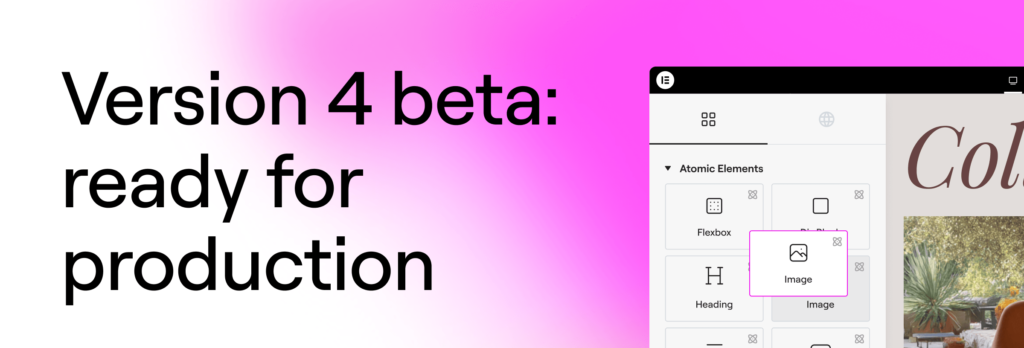
Absolutely. Elementor 4.0 allows you to combine both. On existing sites, you will simply see a new “Atomic Elements” section in your panel. You can drag an atomic form onto a page that otherwise uses legacy columns and widgets without any conflict.
Is Elementor 4.0 free or do I need a Pro subscription?
The core Atomic Editor foundation is part of the free version of Elementor. However, advanced atomic features like Atomic Forms and the new Interactions engine are Pro-only features. If you already have a Pro subscription, these are included at no extra cost.
Are Atomic Elements safe for production sites?
As of the official 4.0 release, the atomic foundation is considered stable and production-ready. However, as with any major WordPress workflow optimisation, we strongly recommend performing a full backup and testing the update in a staging environment first, especially if you rely on several third-party Elementor add-ons.